 Bicep Heart AI
Bicep heart trend prompt for AI pictures and videos
Copy the pose for a still picture, then use the motion prompt to turn it into a video.
Updated · Bicep Heart AI
What is the bicep heart prompt for an AI picture?
Use this prompt with a photo of yourself. You must be 18 or older.
Raise one upper arm to shoulder height with the bicep facing the camera and the forearm pointing up. Open that hand, bend the wrist inward and let its fingers curl toward the face. Curve the other hand so the fingertips meet and its thumb touches the bicep. Leave one closed heart-shaped gap between the hands, forearm and bicep. Keep both hands in frame with five fingers each. Preserve the face, clothes and background.We simplified the pose description from our own generation step. We haven’t tested this wording in ChatGPT, Gemini or other tools. Results can vary by tool.
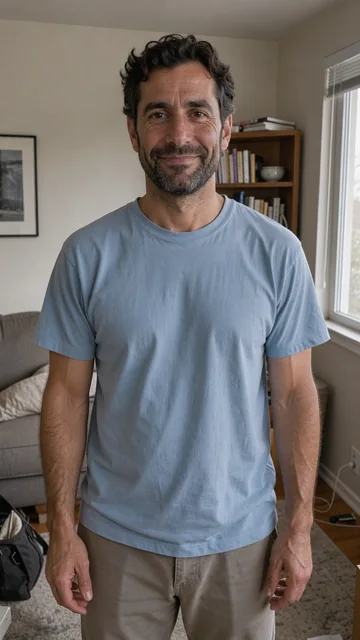
Original photo
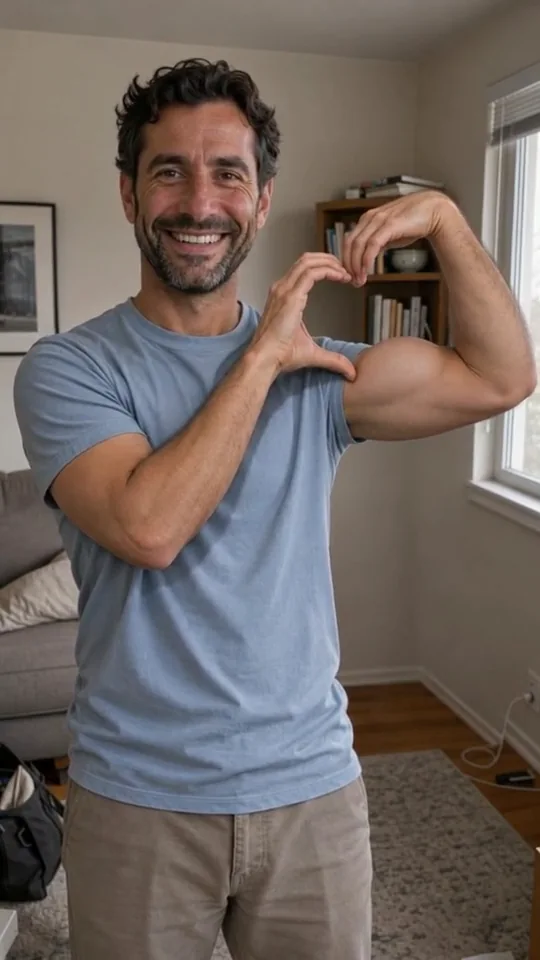
Final pose
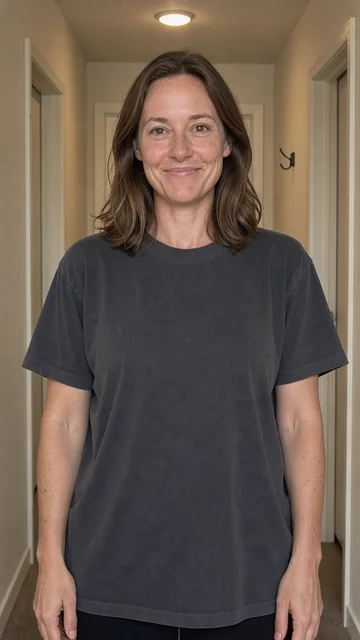
Original photo
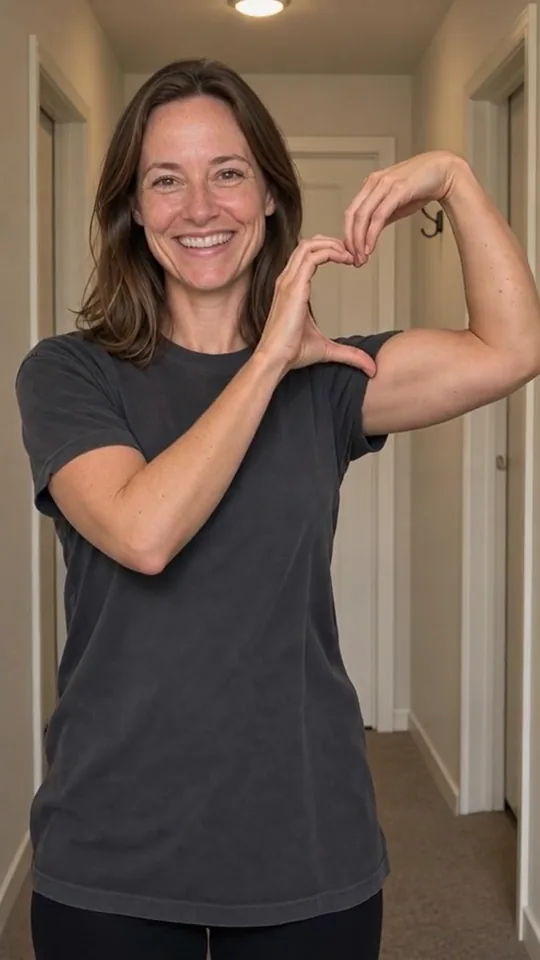
Final pose
Why does AI get the bicep heart pose wrong?
The pose breaks when the raised hand stays in a fist or the hands leave the heart open. Our checks look for these mistakes.
- The raised hand is still in a fist at the end.
- The fingertips miss each other or the thumb misses the bicep, leaving the heart open.
- A hand or the bent forearm is cut off at the edge.
- Extra fingers or arms appear.
- The face no longer matches the input photo.
Compare the result with the bicep heart pose guide. The trend guide shows where the heart sits.
What is the bicep heart prompt for an AI video?
The picture prompt gives you a still. For motion, use an image-to-video tool and describe how the arms move into that pose.
Start with a normal bicep flex and a loose fist. Open that hand and curl its fingers down. Bring the other hand up so the fingertips meet and its thumb touches the bicep, closing the heart shape. Complete the heart around four seconds in and hold it through the end. Keep the camera still.We adapted this motion from our own generation step. Our examples use that workflow. We haven’t tested the rewritten prompt in other video tools.
How do I make a bicep heart video without writing a prompt?
Upload one photo of yourself. Your paid clip includes a preview of the final pose. Check it before you make the video. You can try a new pose twice at no extra charge.
Confirm the pose to make a silent 5 to 7 second video. Download the MP4 and save the confirmed pose photo from your result page while the photo is still available.
See the one-time video packs and the refund policy. If you already have footage, read the template and filter guide.